The AlemX Card
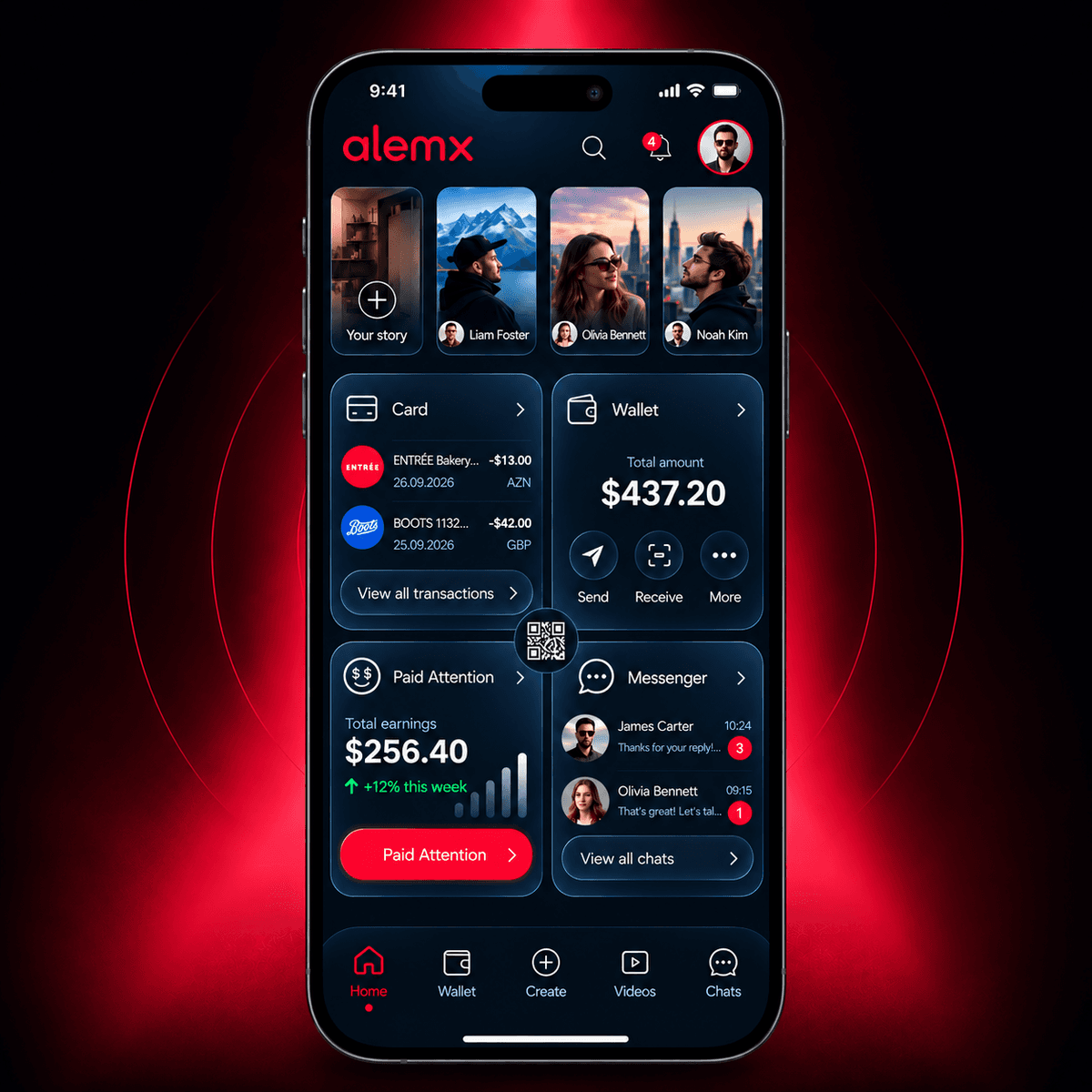
Your AlemX balance, ready for checkout anywhere in the world. A virtual Visa card you set up in the app and add to Apple Pay or Google Pay.
Get the app



Key facts
Virtual Visa card
Set it up right inside the AlemX app in a few taps.
Connected to your balance
The card spends directly from your AlemX balance.
Apple Pay and Google Pay
Add the card to your phone and pay in stores with a tap.
Works worldwide
Pay online and in stores anywhere Visa is accepted.
No issuance fee
Free to issue and free to hold.
No foreign transaction fee
0% on purchases abroad.
Valid for 3 years
One setup, three years of use.
How to get your card
Open AlemX and go to Wallet → Bank cards.
Tap Set up card.
Verify your identity once. It costs $9.90 and is carried out by a licensed verification partner.
Your virtual card is issued and connected to your AlemX balance. Add it to Apple Pay or Google Pay, top up your balance and start spending.
What verification gives you
- Your AlemX Card, valid for 3 years.
- A verified badge on your AlemX profile, so people know it is really you.
Powered by Bridge
The AlemX Card runs on the card infrastructure of Bridge, a Stripe company, on the Visa network, with Lead Bank as the partner bank.
Spend worldwide
Use it online and in stores everywhere Visa works, from your morning coffee to your next flight.
Local currency everywhere
When you pay abroad, the merchant is paid in their own currency and your USDC is converted automatically at checkout. There is nothing to exchange before you travel.
No foreign transaction fee
Buying abroad costs the same as buying at home: 0% on international purchases.
Your money stays yours
Your balance stays in your own AlemX wallet. Money moves only at the moment you pay.
Built-in protection
3D Secure, real-time fraud monitoring, spending controls, dispute handling and cardholder support come built in.
Trusted infrastructure
The card program is powered by Bridge, a Stripe company, on the Visa network, with Lead Bank as the partner bank.
Apple Pay and Google Pay
Add the card to Apple Pay or Google Pay and pay with a tap of your phone.
One balance, every currency
USDC
You pay in USDC
The café in Mexico City gets pesos
The shop in Madrid gets euros
Fees
| Item | Cost |
|---|---|
| Card issuance | Free |
| Holding the card | Free |
| International purchases | 0% |
| Identity verification | $9.90, one time |
| Card validity | 3 years |
| Topping up or withdrawing your balance | Partner fees, if any, are shown before you confirm |
Frequently asked questions
About the card
What is the AlemX Card?
A virtual Visa card connected to your AlemX balance. You set it up in the app, add it to Apple Pay or Google Pay, and pay online or in stores anywhere Visa is accepted.
Is it a credit card?
No. It does not lend you money. It spends what you already have in your AlemX balance.
Is it a physical card?
No, it is virtual. To pay in stores, add it to Apple Pay or Google Pay and pay with your phone.
Can I add it to Apple Pay or Google Pay?
Yes. Add your AlemX Card to Apple Pay or Google Pay and pay in stores with a tap of your phone.
Where do I find my card details?
In the app, under Wallet → Bank cards.
Where can I use it?
Online and in stores, anywhere Visa is accepted. Use your card details for online shopping, food delivery and subscriptions, or pay in stores with Apple Pay or Google Pay.
Who issues the card?
The AlemX Card is issued by Lead Bank through our card program partner Bridge, not by AlemX. Full issuer details are in the card terms.
Is AlemX a bank?
No. AlemX is a social app. The card is issued by a licensed partner bank, and your balance is held in USDC, a stablecoin referenced to the U.S. dollar.
Do I need the card to use AlemX?
No. The card is optional. Posting, chatting and your wallet all work without it.
Using the card abroad
Can I use the card when I travel?
Yes. You can pay anywhere Visa is accepted, online and in stores.
What currency does the shop receive?
The shop receives its local currency. Your USDC balance is converted automatically at the moment you pay.
Is there a fee for paying abroad?
No. AlemX charges no foreign transaction fee: international purchases cost 0%.
Getting your card
How do I get the card?
Open AlemX and go to Wallet → Bank cards → Set up card. Verify your identity once, and your card is issued.
Do I have to verify to use AlemX?
No. You only need to verify if you want the card.
Why do I have to verify?
Every card issuer has to confirm who its cardholders are before issuing a card. It is the same kind of check you do when you open any bank card.
How does verification work?
The app walks you through it step by step. The check itself is done by a licensed verification partner.
Who sees my documents?
Your documents go to the licensed verification partner. AlemX does not see or store them.
What do I get after verifying?
Your AlemX Card, valid for 3 years, and a verified badge on your profile so people know it is really you.
Costs
How much does the card cost?
Getting the card and keeping it is free. Identity verification costs $9.90, one time.
Is the $9.90 a subscription?
No. You pay it once. AlemX does not charge a monthly fee for the card.
Are there any other fees?
AlemX charges nothing else for the card, including no fee on purchases abroad. If you add or withdraw money through a partner, any partner fee is shown before you confirm.
How long is my card valid?
3 years.
Your money and safety
How do I add money?
Top up your AlemX balance in the Wallet. The app shows the top up options available to you.
What currency is my balance in?
U.S. dollars, held as USDC, a stablecoin referenced to the U.S. dollar. USDC is not a bank deposit and is not FDIC insured.
How is my card protected?
Online payments are protected with 3D Secure, transactions are monitored for fraud in real time, and you can freeze your card in the app at any moment.
What if I see a payment I do not recognize?
Open the transaction in the app and tap Report a problem. We will help you freeze the card, and the payment will be reviewed by our card partner.
Can I use the card in my country?
Availability and limits can vary by country. The app shows what is available for your account.
Who do I contact if something goes wrong?
Write to us at hello@alemx.com and we will help.